






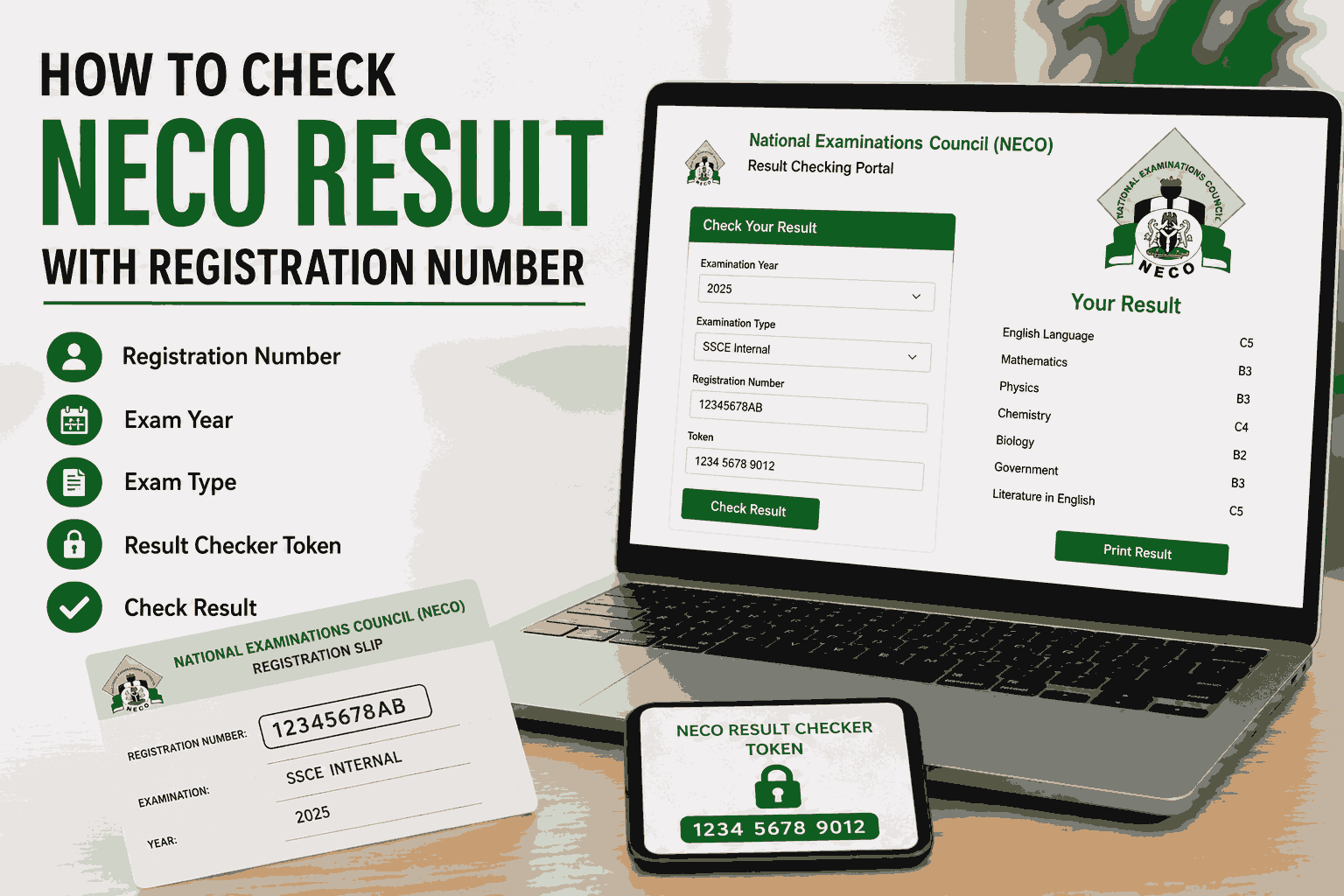
Checking your NECO result online is now easier than ever. Whether you used a smartphone, laptop, or cyber café, you can access your result in just a few minutes using your registration number and a NECO result-checking token.
In this detailed guide, you will learn how to check your NECO result with your registration number, the official NECO portal to use, requirements needed, common errors, and how to solve them quickly.
What Is NECO?
National Examinations Council, popularly known as NECO, is one of Nigeria’s major examination bodies responsible for conducting Senior Secondary Certificate Examinations (SSCE), Basic Education Certificate Examinations (BECE), and other national exams.
Every year, millions of candidates check their results online through the official NECO portal after the examination results are released.
Official NECO website: NECO Official Website
Can I Check My NECO Result With Only My Registration Number?
No. Your registration number alone is not enough.
To successfully check your NECO result, you need:
- Your NECO Registration Number
- Examination Year
- Examination Type
- NECO Result Checker Token/PIN
- Internet connection
The official result portal requires both your registration number and token before displaying your result.
Requirements Needed to Check NECO Result
Before visiting the NECO portal, ensure you have the following:
1. NECO Registration Number
This is the examination number assigned to you during registration.
Example:
- 12345678AB
You can find it on:
- Your exam slip
- Photocard
- Registration printout
2. NECO Result Checker Token
NECO now uses tokens instead of old scratch cards.
You can buy the token online through the official portal:
NECO Result Portal
The token is usually a 12-digit code used to access your result.
3. Examination Year
You must select the exact year you wrote the exam.
Examples:
- 2024
- 2025
- 2026
4. Examination Type
Choose the correct exam category:
- SSCE Internal
- SSCE External
- BECE
- NCEE
Selecting the wrong exam type may show an error.
Step-by-Step Guide to Check NECO Result With Registration Number
Follow these simple steps carefully.
Step 1: Visit the Official NECO Result Portal
Open your browser and visit:
This is the official platform approved by NECO for result checking.
Step 2: Select Your Examination Year
On the portal homepage:
- Click the “Select Exam Year” dropdown
- Choose the year you wrote your examination
Example:
- 2025
Step 3: Select Examination Type
Choose the correct examination category.
Examples:
- SSCE Internal
- SSCE External (GCE)
Make sure you choose the exact exam type you registered for.
Step 4: Enter Your Registration Number
Input your NECO registration number carefully.
Double-check:
- Letters
- Numbers
- Spelling
Incorrect registration details may prevent your result from displaying.
Step 5: Enter Your Token Number
Type the NECO token you purchased.
Ensure:
- No spaces
- No typing mistakes
Step 6: Click “Check Result”
After entering all details:
- Click the “Check Result” button
Your NECO result will appear instantly if your details are correct.
You can then:
- Print the result
- Save as PDF
- Screenshot it
How to Buy NECO Result Checker Token
If you do not already have a token, follow these steps.
Method 1: Buy From Official NECO Website
Visit:
Then:
- Create an account
- Login
- Click “Purchase Token”
- Make payment online
- Receive your token instantly
Method 2: Buy From Cyber Cafés
Many cyber cafés across Nigeria sell NECO tokens.
This option is useful if:
- You do not have ATM card access
- You prefer physical assistance
Can I Check NECO Result With Phone?
Yes. You can check your NECO result using:
- Android phones
- iPhone
- Tablet
- Laptop
- Desktop computer
As long as you have internet access and a valid token, the portal works on mobile devices.
How Much Is NECO Result Checker Token?
The official token price is usually around ₦1,000, although third-party vendors may charge extra service fees.
How Many Times Can I Use One NECO Token?
A NECO token can usually be used up to five times for the same result checking process.
After exhausting the usage limit, you may need to purchase another token.
Common Errors When Checking NECO Result
Sometimes candidates experience errors while trying to check their results.
Here are common problems and solutions.
1. Invalid Token Error
Causes:
- Wrong token entered
- Expired token
- Used maximum number of times
Solution:
- Re-enter carefully
- Buy a new token if necessary
2. Result Not Available
Causes:
- Result not yet released
- Incorrect examination year selected
Solution:
- Wait for official release
- Verify your exam year
3. Incorrect Registration Number
Causes:
- Typing mistakes
- Missing letters or numbers
Solution:
- Check your exam slip again
- Enter correctly
4. Website Not Loading
Causes:
- Poor internet connection
- High traffic on portal
Solution:
- Refresh the page
- Try late at night or early morning
Can I Print My NECO Result Online?
Yes.
After checking your result:
- Click “Print”
- Save as PDF
- Print hard copy immediately
Many institutions request printed copies during admission processing.
How to Verify NECO Result
NECO also provides an official verification platform for institutions and candidates.
Verification portal:
NECO e-Verify Platform
This platform is mainly used for:
- Admission verification
- Employment screening
- Scholarship applications
Is the NECO Result Portal Safe?
Yes, provided you use only the official website.
Always avoid fake websites requesting:
- ATM details
- Passwords
- Unusual payments
Official result portal:
Official NECO Result Checker
Tips for Successfully Checking Your NECO Result
To avoid issues, follow these tips:
- Use stable internet
- Type details carefully
- Keep your token safe
- Screenshot your result immediately
- Print multiple copies
Difference Between NECO Registration Number and Token
Many students confuse both.
Registration Number
- Identifies the candidate
- Assigned during exam registration
Token
- Used to unlock and access result online
- Purchased separately
Both are required to check your result successfully.
Can I Check NECO Result Without Token?
Currently, NECO requires a token for result access.
Without a token:
- You cannot view your result online
Older scratch cards have largely been replaced by digital tokens.
What to Do After Checking Your NECO Result
After seeing your result:
1. Print It
Keep hard and soft copies.
2. Upload to JAMB CAPS
If applying for admission, upload your O’Level result to JAMB.
3. Keep Your Token Safe
You may still need it later.
4. Verify Admission Requirements
Check your institution’s cut-off and subject requirements.
Conclusion
Checking your NECO result with your registration number is a simple process when you have the correct information and a valid token. By visiting the official NECO result portal, entering your registration number, selecting your exam details, and using your token, you can access your result within minutes.
Always use the official NECO website to avoid scams and errors. Once your result appears, save and print copies immediately for future use.
Also Read: How Many Percent of People Pass NECO 2025? (Full Statistics, Analysis & What It Means for Students)
Frequently Asked Questions (FAQs)
1. Can I check my NECO result without a registration number?
No. Your registration number is compulsory for accessing your result on the NECO portal.
2. Can one NECO token check two different results?
No. A token is usually tied to a specific candidate’s result and has limited usage.
3. What is the official website for NECO result checking?
The official portal is:









+ There are no comments
Add yours